Called an Audible
06:46 Tuesday, 29 September 2026
Current Wx: Temp: 54.86°F Pressure: 1017hPa Humidity: 98% Wind: 3mph
Words: 470
I've been frustrated by the fact that we can't install rigid ducting in the floor trusses, because you have to do that as you're setting the trusses, and we didn't know that at the time. I also didn't have an HVAC contractor at that time either.
I was chatting with Mom on Sunday and expressing my frustration, because it turns out that the only solution is to build a chase down the top of the south wall of the basement to enclose the main duct trunk. More work, plus it's just an unwelcome intrusion in the space.
I told Mom, "I kind of wish I'd just gone with mini-splits and been done with it."
Well, that seemed to have tripped a switch somewhere.
Mini-splits are ductless, which is part of their appeal. The air is heated or cooled at the point of delivery in a cassette, and it's the refrigerant that conveys the heat to or from the compressor, so you have these long exterior (some are interior) refrigerant line-sets running around the house.
Well, hydronic heating and cooling is usually ductless too. They have fan-coil units that are essentially the same as the mini-split cassettes. So the light bulb went on and I decided to see if we could forego the central air-handler in favor of a few fan-coil units.
We'd planned to have a meeting yesterday with the contractor and Energy Vanguard to discuss some elements of the design, but as the meeting began I announced that I was calling an audible and wanted to change the design. I acknowledged it'd be an additional cost at their hourly rate, but I thought it might be a better solution overall.
There are a couple of downsides, one is that you don't distribute the conditioned air as evenly, so location is pretty important. They can probably handle the latent load (dehumidification), but you also have to pipe a condensate drain as well as the supply and return lines. Neither seems to pose an insurmountable obstacle.
So Energy Vanguard is performing a redesign, and my rigid ducting frustration is over. I don't know if there's an overall energy penalty. It takes less energy to convey heat with water, but I still need to move air to do the heat exchange at the point of delivery. But those fans won't be dealing with the same volume of air or static pressure. We're looking at about three, relatively small, fan-coil units, so hopefully it's a net overall energy savings.
So I'm glad that we didn't pull the trigger on ordering the equipment. I'd intended to order it last week, but we were preoccupied with a lot of things and it didn't happen, somewhat to my annoyance. But in hindsight, it feels like a happy accident.
✍️ Reply by emailThis and That
09:15 Monday, 28 September 2026
Current Wx: Temp: 55.98°F Pressure: 1013hPa Humidity: 98% Wind: 5.61mph
Words: 272
It's drizzly out, and I have a dental appointment in a couple of hours, so rather than taking a walk, I'm writing a post.
Things that make me happy (for now). Slow Horses has (finally) returned. I gather that Slow Horses is not the worst of Apple TV shows in terms of the length between seasons, it may even be the best, but it feels like an eternity. Especially when there's only eight episodes in a season.
But I do so enjoy that show. The cast, the setting, Gary Oldman. The plots are just the framework for the interactions between the cast members. I don't even care about the plots that much. I'd watch that cast if they were selling tires. (An acquired taste at Netflix.)
It's difficult to overstate how much joy it brings me to look forward to a new episode of Slow Horses.
Ted Lasso has been a bit of a disappointment. The best part of the season has been the dynamic between Alice and Gemma. I think the tension between Roy and Keely felt forced. The late-series appearance of Rupert feels unnecessary. But I still enjoy the show.
My son recommended The End of Oak Street to me yesterday, so Mitzi and I watched it last night. Solid recommendation, and an entertaining diversion.
The Jaguars and the Bills both won yesterday, so that made me happy. Though that's also tinged with a bit of guilt for enjoying a sport that hurts so many of its players to make the owners rich(er).
I guess I'd better get ready for my dental appointment.
Because the beat goes on...
✍️ Reply by emailAI as Exploitation Colonialism
12:06 Sunday, 27 September 2026
Current Wx: Temp: 57.67°F Pressure: 1012hPa Humidity: 81% Wind: 11.86mph
Words: 703
Wherein I opine on the exhausting subject of AI.
Yesterday at the Tinderbox meetup, which has pretty much become an AI meetup, Michael Becker was discussing a tool, a browser extension of some kind, that he had created with the help of AI. There was some mention of entities "licensing" this tool. This piqued my interest.
At some point earlier in the discussion, someone mentioned that the web has become something it was never intended to be. "Cyberspace," and the "worldwide web" lend themselves, conceptually, to a "place" or "space" metaphor. Somewhere we may "be."
The original web was populated by people, perhaps much as the world was populated, expanding outward from some origin. Africa in the case of humans, Southern California probably in the case of the web. These "digital natives" were the indigenous people of cyberspace.
Later, corporations appeared and began to "exploit" this new territory. Extraction industries consuming the natives' resources of attention, converting them into advertising dollars and growing enormously wealthy in the process.
But there were other resources that could be exploited, if only an efficient means (Read: "cheap") to do so could be discovered.
Enter "large language models."
"Training."
"Artificial intelligence."
Google organized all the world's information. OpenAI and Anthropic consumed it, homogenized it, and are trying to find a business model selling it.
That model may not exist, which may be an enormous problem for all of us very soon.
But the AI "product" has some very valuable features.
Value created by the uncompensated labor of others.
Let me digress here for a moment and say that I don't care or mind when people use AI for whatever things they find it useful for, except for things that are clearly immoral or illegal or unethical. And there's a lot of room for debate on the ethical front. AI enables a lot of smart, talented people to do things they might not be able to do as well, or as quickly, without it. And if that improves their circumstances, makes their life more rewarding, or easier, I'm quite ok with that. It's here, it's not going away (soon), and using it may help us better understand what it means.
Where I do have some objection is when someone uses an AI product to create something that is totally outside the scope of what they might otherwise have been able to achieve without it, and then seeking to monetize that creation.
If you've had a product you've developed and sold for years, and AI allows you to improve it, or makes it easier to support or maintain. That seems like pretty fair use to me right now.
This is the area that is presently the subject of much litigation and I think it'll be years, if not decades, before all of this gets sorted out.
But I don't think one needs to wait years to make a personal choice based on one's own moral center. If you're seeking to profit from others' labors for little more than the simple act of writing a good prompt, I think that's wrong.
But it's not illegal.
If you use AI to create something that is totally outside the scope of what you might otherwise have achieved without it, and then give that away free of charge, I think that's ok. You're not profiting from the uncompensated labor of others. Maybe you'll gain some reputational advantage, but I think it'd be modest.
Others have a more binary view of AI, that its origin relied on the uncompensated labor of others represents a form of theft, and anything using it is therefore fundamentally stained with an ethical taint.
I respect that point of view, though I don't necessarily share it.
Yet.
I reserve the right to change my mind. My view of AI has been evolving over time, and I'm less enthusiastic now than I was at the beginning. But it's far from the categorical rejection espoused by others.
In one sense, I hate AI because it sucks the oxygen out of the room whenever it comes up. Especially when you're in a room where you're hopefully going to be talking about something else.
But these are the times in which we live.
✍️ Reply by emailLast Night's Sunset
08:51 Sunday, 27 September 2026
Current Wx: Temp: 53.26°F Pressure: 1012hPa Humidity: 84% Wind: 11.39mphWords: 983
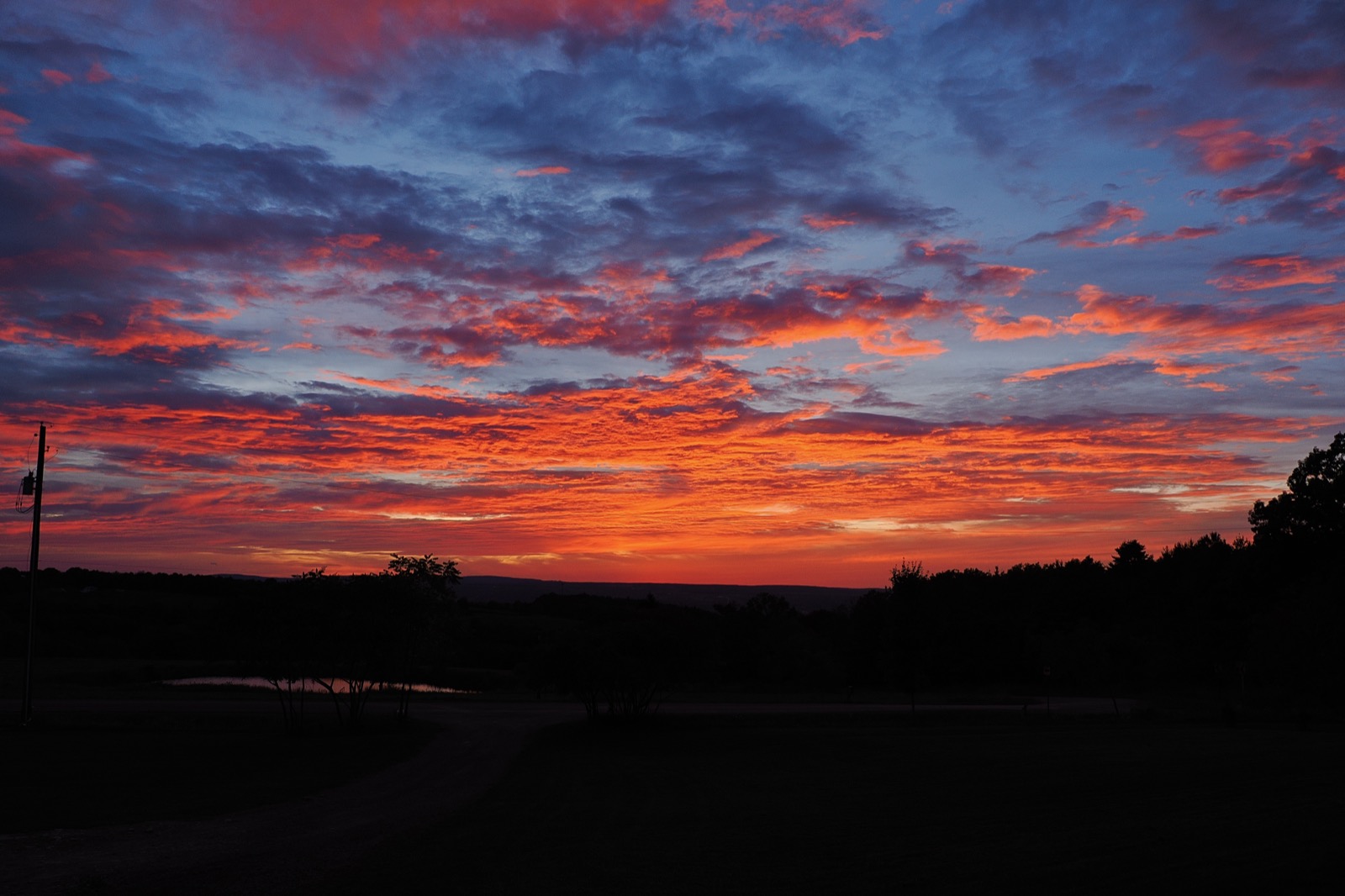
Fall is underway as the leaves begin to change color. I had my annual dermatology appointment the other day, and Maps had me take kind of a back way for the return trip. I often find that annoying, but in this case it was wonderful. Quiet country roads, and beautiful scenery.
One biopsy on my right calf, some liquid nitrogen to my left cheek, and if the biopsy is clear, I'm good for another year. In an interesting coincidence, this appointment was from a cancellation, otherwise I wouldn't have been seen until November. After I got home, I received a text from the dermatologist I'd been seeing in Florida saying I was overdue for my exam. Weird, but also kind of cool.
The Apple IIe arrived on Friday. It was very dirty, but I enjoy cleaning those things up. But first a brief diversion.
Back in the day, Quark produced a word processor called Word Juggler. It was originally written for the Apple III, but they later ported it to the Apple II. It received fairly good reviews, but the thing I remember about it that was pretty cool was that it came with a set of replacement keycaps with program commands printed on the front of the keys. I don't know why I thought that was cool, but I did.
In my first retro-computing period (2016-2019), I had a copy of Word Juggler. It didn't come with the keycaps though. I have never seen those up on eBay, though I have seen them from time to time on a IIe up for sale. In my present retro-computing obsession, I've tried to refrain from buying old software that really didn't resonate with me. It costs money and takes up space, and there isn't really that much satisfaction in just "collecting." But I do like to keep up with what comes up for sale.
A couple of weeks ago, a copy of Word Juggler came up on the auction site. I studied the pictures and it included a plastic bag of Apple IIc keycaps! Only one of which showed a command printed on it. I had no idea if it was a complete set, or if they were just regular keycaps and the previous owner just didn't or couldn't swap the one that was visible. Worth a shot though.
It was a "make offer" listing, I love those, so I made a pretty low offer and it was accepted. It arrived the week before last and, sure enough, it had a complete collection of Word Juggler command keycaps. It also had the wire keycap puller with the Quark brand on the handle. In a bit of irony perhaps, the text of the commands on those keycaps is way too small for me to read!
I will likely install them anyway. It will give me some spares if I ever buy another IIc in poor condition.
Anyway, that Quark keycap-puller came in very handy for that Apple IIe with the dirty keys. I've seldom had real difficulty removing keycaps from Apple II keyboards, but it was definitely quicker and easier with the puller. I dropped them all in a ziplock plastic bag with some warm water and dish soap and agitated them for a while. Easy-peasy, they came out looking like new, except for the space bar, which is apparently made from a different type of plastic because it had discolored more than the other keys.
The case had some yellowing, but it was modest. It had a monitor or stand over the lid, because the lid exhibited less yellowing. I think it was used in an environment with little exposure to UV, and later boxed up and stored because it's in very good shape.
It's an unenhanced Apple IIe, so it lacks the 65C02 processor and the revised ROMs. But it's also a later model IIe than my two painted case IIe's. I'll order another 65C02 for it, and I can use the OneROMs to install the "enhanced" ROMs.
It did have some evidence of insect habitation. There was a lot of debris and detritus beneath the keycaps and beneath the motherboard and power supply, which I discovered when I took it outside to blow it out.
There was one peripheral card I couldn't identify when I made an offer for the machine. It turns out it was an Applied Engineering Serial Pro, a serial interface card with a real-time clock built in. It has a Varta battery soldered to it, and it doesn't exhibit any overt signs of leakage on the card, but I suspect some sort of electrolyte must have leaked because there was some goo and corrosion on the card edge. It cleaned up pretty well, and I've seen worse, so I'm somewhat optimistic the card will work, but testing will have to wait until Mitzi's on her trip.
Before I plug the computer in, I need to remove the power supply and open it up to check the status of the RIFA capacitors. If they haven't already blown, they likely will not long after I plug it in, releasing the "magic smoke," and stinking up the house. I'll probably get to that before Mitzi leaves.
It also came with two 5.25" Disk II drives. They're later models, but pre-dating the UniDisk 5.25, which were roughly half-height and had plastic housings. These have the full-height, metal housings and, fortunately, all the rubber feet, which are often missing on these things. The IIe itself also had all its feet. The only thing it was missing was one little screw holding the case on. No big deal.
After Mitzi leaves I'll have several days to check it out and play with it. I have some cards I can install, including a Transwarp accelerator, and a Raspberry Pi Pico card I want to check out.
✍️ Reply by emailThank the Gods
08:57 Friday, 25 September 2026
Current Wx: Temp: 49.71°F Pressure: 1027hPa Humidity: 93% Wind: 3.98mph
Words: 37
So I heard about this NY Times best 100 TV shows of the 21st Century, and I wanted to see if Battlestar Galactica made the cut.
It did. In the top 50 even!
So say we all!
✍️ Reply by emailEight Is Enough
08:51 Thursday, 24 September 2026
Current Wx: Temp: 49.01°F Pressure: 1033hPa Humidity: 87% Wind: 1.74mph
Words: 467
Bits, that is.
Mitzi is taking a trip to Montreal early next month, and she's going to be gone for almost two weeks.
You know what this means?
It means I can take over the table. (I almost wrote "dining room table," though it could be considered "the kitchen table," except this house doesn't really have a dining room or a kitchen. It's all just one room. Hence, "the table.")
To distract myself from new house matters, the unfolding collapse of American Empire, and everything else that doesn't "spark joy," I've been spending a little money on Apple II stuff. While Mitzi's gone, I get to play with it.
I also bought another Apple IIe. Not my favorite version, it's one of the models that has the brown keys with black letters, and the case isn't painted so it discolors over time. But it's coming with two 5.25" disk drives, and there's a card in it I couldn't identify from the pictures. Probably a printer card of some kind, but we'll see. I'll enjoy cleaning it up and testing it.
I have two Apple IIe computers in storage, and I may spend some time spelunking in the storage unit to recover my third IIc and a small LCD monitor. The two IIes are in a ginormous plastic bin with wheels, and they're both at the bottom of it. I'm not eager to dig them out, only to have to return them when Mitzi gets back. But I think the other IIc is on top.
I got that third IIc as a bonus when I bought an external IIc disk drive. It was a really good deal, but the seller didn't package them well and the computer took a beating from the power supply in transit. I've replaced most of the damaged keys, the only one left is the space bar. Of course, that's the one that is nearly unobtainable. What's broken on it are the two clips that hold the stabilizer wire. It dawned on me recently that I might be able to carefully remove the clips from a smaller key that isn't unobtainable and glue them in after cutting the broken ones free.
The disk drive latch was also broken in transit as well and I have an entire replacement internal drive here.
So one of the things I want to do is to fix up that IIc and make a couple of mods. I've got a Mockingboard-compatible sound card here that I might install. I've also got a bunch of OneROM chips here that I want to play with too.
There's also the IIgs, which has a TransWarp card that I need to test.
So many things to play with! Should keep me off of YouTube for a few days.
Looking forward to it.
✍️ Reply by emailIn Other News
11:05 Wednesday, 23 September 2026
Current Wx: Temp: 57.74°F Pressure: 1033hPa Humidity: 69% Wind: 8.01mph
Words: 722
It's been more than a week since I last posted. That's a fairly big gap for me in recent years. I guess I've been kind of busy.
We went up to Saratoga Springs on Friday for my niece's wedding and to celebrate Mom's 93rd birthday. Caitie had flown into NYC and she took the train up on Saturday for the wedding and planned to stay until Monday morning, which was Mom's "official" birthday. (The one we usually celebrate. It turns out she has two birth certificates, and they have different birthdates, the 20th and the 21st. She's a twin, but it's not like they were born on either side of midnight.)
The weather was beautiful on the drive up, and color change is beginning to show. Mitzi and I are in a Schuyler County Historical Society book club, reading about the Sullivan Campaign, and many of the places we were passing by figured in the Indians' roles in the Revolutionary War.
I got to see all of my siblings, even my youngest brother who flew up from Alabama. One of my sisters came down with Covid, but she only attended the welcome party on Friday night, unaware she was infected. It was an outdoor event, so we should all be fairly safe. She became symptomatic on Saturday and didn't attend the wedding.
The wedding was wonderful, it was great seeing Caitie. She got to hang out with nearly all of her cousins and they partied and danced into the wee hours of Sunday morning while Mitzi and I headed back to the hotel around 2000. We're old.
On Sunday morning, Mitzi, Caitie and my brothers and I spent some time with Mom. Mitzi and I got on the road about 1130, and everyone else had a pizza party at my youngest sister's place later that afternoon.
Cloudy and drizzly on the drive back, but uneventful.
We have a neighbor on the next road over who walks by our place from time to time with his two dogs. I'd spoken with him each time I'd seen him, and most recently we exchanged contact information. He and his wife invited us over to his place, along with some of his neighbors, so we went over there not long after arriving back home.
It was a pleasant evening and I enjoyed meeting everyone. He lives near the Eagle Ridge airport (more like a grass strip) and most of his neighbors have, or had, some connection with aviation.
Monday went by fast, and I don't really recall what, if anything, I managed to get accomplished.
Yesterday was spent on some health matters. I got my Covid shot, hearing from my sister that it's apparently all over Buffalo. I confirmed my doctor had prescribed the Zepbound KwikPen product, and I tried to pick that up. It would have been $585 if they had it in stock, so I went home to figure out how to enroll in the Lilly discount card program.
That seemed harder than it should have been, but I managed to figure it out and now have a card. I went back down to the pharmacy and they went ahead and placed the order. I should be able to pick it up this afternoon and it should only cost $399.
This morning I went back to the ophthalmologist. Apparently I didn't understand his instructions regarding using eye drops. The skin cells that cover my eyes are "distressed," and I should be using lubricant three to four times each day, every day.
So with that now understood, I'll be returning in four weeks to see if they've improved. If not, I may get some steroids or something. We need to get them in better shape before cataract surgery.
We also discussed the risks of GLP-1 medications for eye health, specifically blindness. He sent me some literature, and I'm still going to go ahead and start the Zepbound treatment.
The house is coming along. They poured the east gable on Monday and they're building the foundation columns for the timber frame posts, then they can backfill the footers. After that, they'll take down the bracing and platform at the east gable, and prepare to frame the main floor before setting the remainder of the roof trusses.
That's most of the minutiae.
The beat goes on...
✍️ Reply by emailEcoFlow Annoyances
10:37 Wednesday, 23 September 2026
Current Wx: Temp: 55.62°F Pressure: 1033hPa Humidity: 73% Wind: 8.01mph
Words: 292
We have an EcoFlow Delta Pro 3 with an expansion battery that gives us 8kWh of battery with a maximum (sustained) output of 4kW. Winter is coming, and I thought it would be useful to have additional storage. EcoFlow is running a "Prime" sale, and I had a 5% off coupon, so I went to price an additional expansion battery.
I checked the price at Home Depot, where I would be eligible for a 10% discount, and the EcoFlow price was better, so I placed the order with EcoFlow.
I don't visit the site very often, and so I spent some time clicking around and looking at my "profile." It turns out that I had about 15,000 "EcoCredits," from previous purchases, and I discovered that I could redeem 5000 of those credits for $200 off, which was more than the 5% discount.
I tried to cancel the order from the site, but there's no way to do that there, so I called customer service. I was able to get a representative to cancel the order for me, but she said it might be a couple of days before I saw the refund.
This morning I received email confirmation that the order had been cancelled, so I returned to the EcoFlow website to re-order using my EcoCredits for a $200 discount.
Well, "Surprise, surprise, surprise!" My EcoCredit rewards had changed. Now I had to use 6,000 credits for a 6% discount, which is, of course, less than $200.
Mitzi wanted me to call and try to get them to honor yesterday's deal, but I think that would just be a waste of time.
We'll be looking for a battery backup solution for the new house next year.
It won't be from EcoFlow.
✍️ Reply by emailProgress
08:05 Wednesday, 16 September 2026
Current Wx: Temp: 59.56°F Pressure: 1026hPa Humidity: 93% Wind: 8.99mphWords: 16
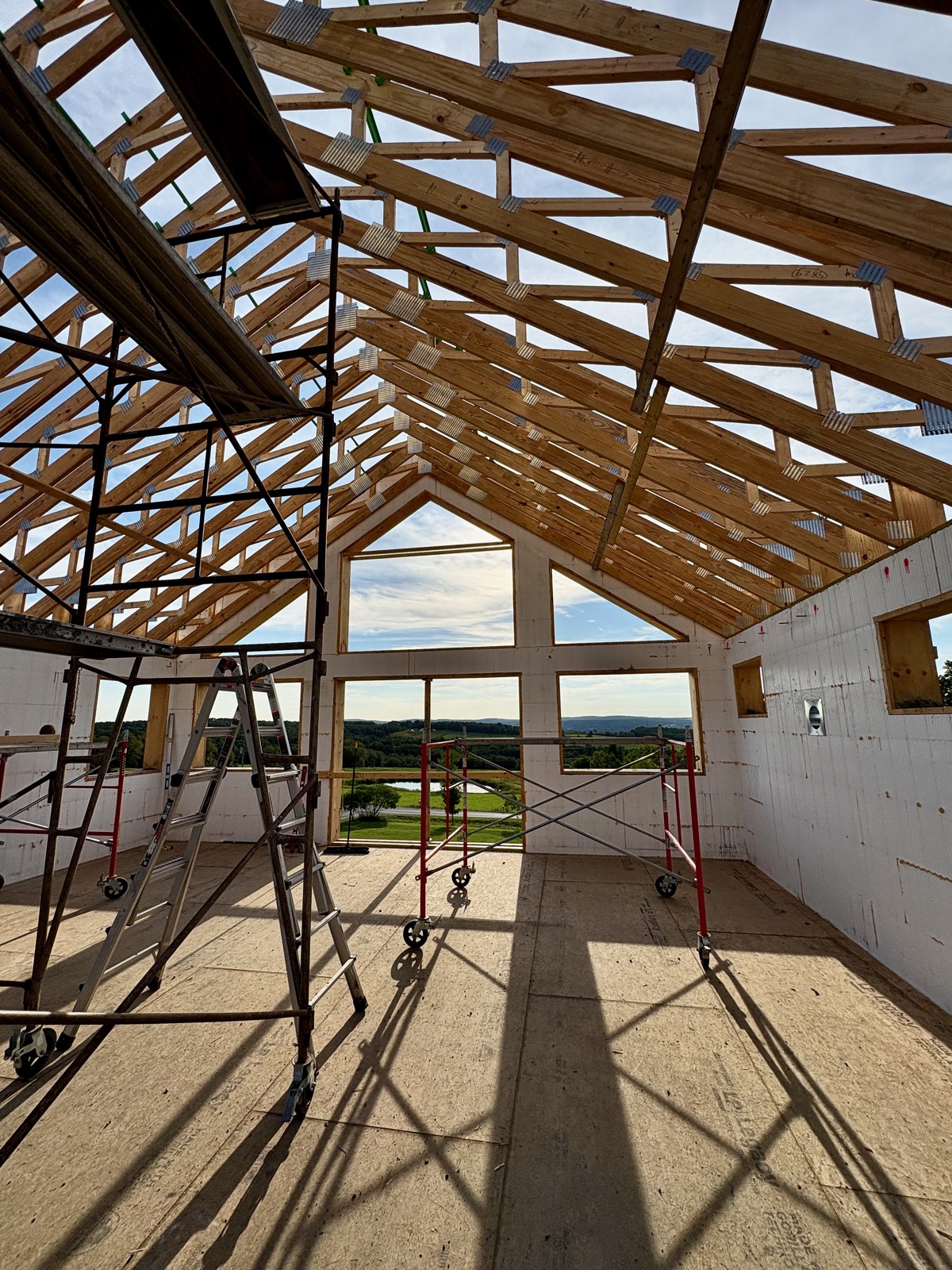
Beautiful day yesterday. Most of the vaulted ceiling parallel chord trusses have been landed.
Pretty exciting.
✍️ Reply by emailIt's a Scam
14:33 Sunday, 13 September 2026
Current Wx: Temp: 81.01°F Pressure: 1011hPa Humidity: 67% Wind: 6.22mph
Words: 231
So I guess all the hype about the danger of unregulated AI is the set-up for a government bailout. Apparently the AI companies are worried they won't be able to monetize this product sufficiently enough to cover all their investors' bets and loans.
If the government steps in and shuts them down, well then the government will be responsible for making all those folks whole when the promised payoff fails to materialize. After all, it's the only responsible thing to do. Right?
AI is dangerous, as is any technology in the hands of bad or faithless actors. I include capitalism as a dangerous technology in the hands of faithless actors.
I'm more worried about climate change than I am about AI as a threat to civilization. AI could cause widespread disruptions and calamities, but I think we could recover from those after suffering serious losses. Climate change will simply grind this civilization into dust slowly, inexorably.
But I do believe that people should be prepared for significant economic disruptions due to cyber attacks and sabotage on critical infrastructure facilities in the next few years. I'm thinking the latter part of 2027 so Putin can throw the election into chaos as Trump indulges his authoritarian tendencies and cancels the elections due to a national emergency.
So I think the average person has a little time to prepare.
I hope so anyway.
✍️ Reply by emailSatterly Hill
08:03 Sunday, 13 September 2026
Current Wx: Temp: 66.33°F Pressure: 1014hPa Humidity: 97% Wind: 5.7mphWords: 1037

After yesterday's Tinderbox meetup, I asked Mitzi if she wanted to go for a drive. We hadn't done that in a while, and I just wanted to get out of the house and have a look around.
So we did. We drove to the top of Satterly Hill, which is what I see on my walks. I wanted to see what the view was looking back toward us. There's a birding pullout there, with a telescope and pair of high-power binoculars, mounted for kids and people confined to a wheelchair. But the best views are west, toward the lake, which is visible though it's not spectacular.
We'll do it again sometime soon as the color begins to change. I think I'll stand on the bed of the Maverick to get a better view, or maybe I'll bring the drone. Satterly Hill is 1414' in elevation, while we're at about 1450' here on Foots Hill. (We're up where South Hill Road makes a hard left, right there on the corner.)
The clouds were beginning to roll in, but we continued driving around, taking roads we'd never been down before. Had some music playing. It was very pleasant. By the time we pulled back into the driveway, we'd driven 23 miles in a big loop (not including the excursion to Satterly Hill).
Pivoting, I think there's a good use case for "smart glasses." I'd like to wear them while reading, and have them respond to voice commands or finger gestures to add comments to passages like margin notes. I think wearing them in pubic is problematic, if not downright creepy.
I don't have a problem with Apple Watch's 15s audio recording, I think people get too worked up about some things. I sometimes have trouble understanding what people are saying and often ask them to repeat themselves. (I should get my hearing checked, I know.) I don't think the feature would save me that embarrassment, because it's not like you can just ask someone, "Hold that thought," while you tap your watch and read a transcript. For that matter, I don't know how useful the feature would be at all. But it doesn't creep me out.
I went to the B&H website yesterday to pre-order the OM Pen, but it was down for the holiday. It's in my basket, but I can't check out until later tonight. I think the reception has been largely favorable by the usual cast of influencers. The broader internet commentariat is more diverse in its views, as expected. Much of the criticism is directed toward the sensor, and the lack of anything genuinely "new."
I'd like to criticize the commentariat for its predictable reactions and the lack of any genuinely new insights.
Never read the comments.
I've been acquiring some more retro-computing hardware. An Applied Engineering Transwarp accelerator arrived yesterday. It'll be next spring before I get it installed in one of my IIe computers, they're both in storage and there's really no place to work with them in this house. I had a Transwarp back in the previous decade and enjoyed using it with Apple Pascal and a RAM disk. I have an McT SpeedDemon in my Rev B Apple IIe. The Transwarp has 256Kb of RAM onboard, while the SpeedDemon only has about 8Kb of cache memory. As a practical matter, they're roughly the same speed.
Something that is pretty exciting is this One ROM device. The domestic sources don't have any in stock, so I bought five from the developer in England. He's here in the states for the Vintage Computer Festival Midwest this weekend, so he's emailed me that he'll get them shipped out later this week. If I'd have decided I wanted these earlier, perhaps I could have saved a lot on shipping.
There has always been a mod community, burning custom ROMs for old computers. This device is unique in that it is an active device that can communicate over USB to a modern computer while still serving its host. The MegaFlash IIc and MegaFlash IIc Plus each have a custom ROM that offers various features for the product, and JD Micro have a custom ROM product for the Apple II that can host a number of ROM images and even applications in addition to ROM code. I have one installed in my Rev B Apple //e.
I went looking for another one for my third Apple //c, and they are on backorder at Reactive Micro, which is what ultimately compelled me to do a deep dive on the One ROM.
That's the thing about a lot of these modern products for old computers. They're a niche market, and they're made in small batches by individuals, so there's no certainty that there will ever be any in stock. So if you learn about one that you may be interested in, you should buy it immediately.
Like the math co-processor for the Apple IIGS. I've been in correspondence with the developer and he has some boards on hand that he needs to populate. He's said he'll solder one up and get back to me.
And I'm on the wait list for the second run of the Appletini One, which I plan to put in my Rev A Apple //e. The Rev A motherboard doesn't support double-hires graphics, but the Appletini One is essentially a hardware emulator, so it can be a (virtual) Rev B //e with 8MB of RAM in the memory expansion slot, with double hi-res and everything else it offers.
All of which tells me I need to be looking for another IIe, preferably a Rev B. (I've been seeing a fair number of Rev A models on eBay.)
Is this all nostalgia? Probably. Computers were exciting back then. Not so much anymore. The proliferation of modern mods to old computers captures some of that excitement we felt back then. I know this is supposedly "the best of all possible worlds," where we're carrying around a super-computer with all the world's knowledge in our pocket; but it feels more like a burden than a "bicycle for the mind."
The beat goes on, at 1Mhz and it's 8-bits wide.
✍️ Reply by emailSilo
15:13 Friday, 11 September 2026
Current Wx: Temp: 70.65°F Pressure: 1017hPa Humidity: 56% Wind: 8.84mphWords: 227
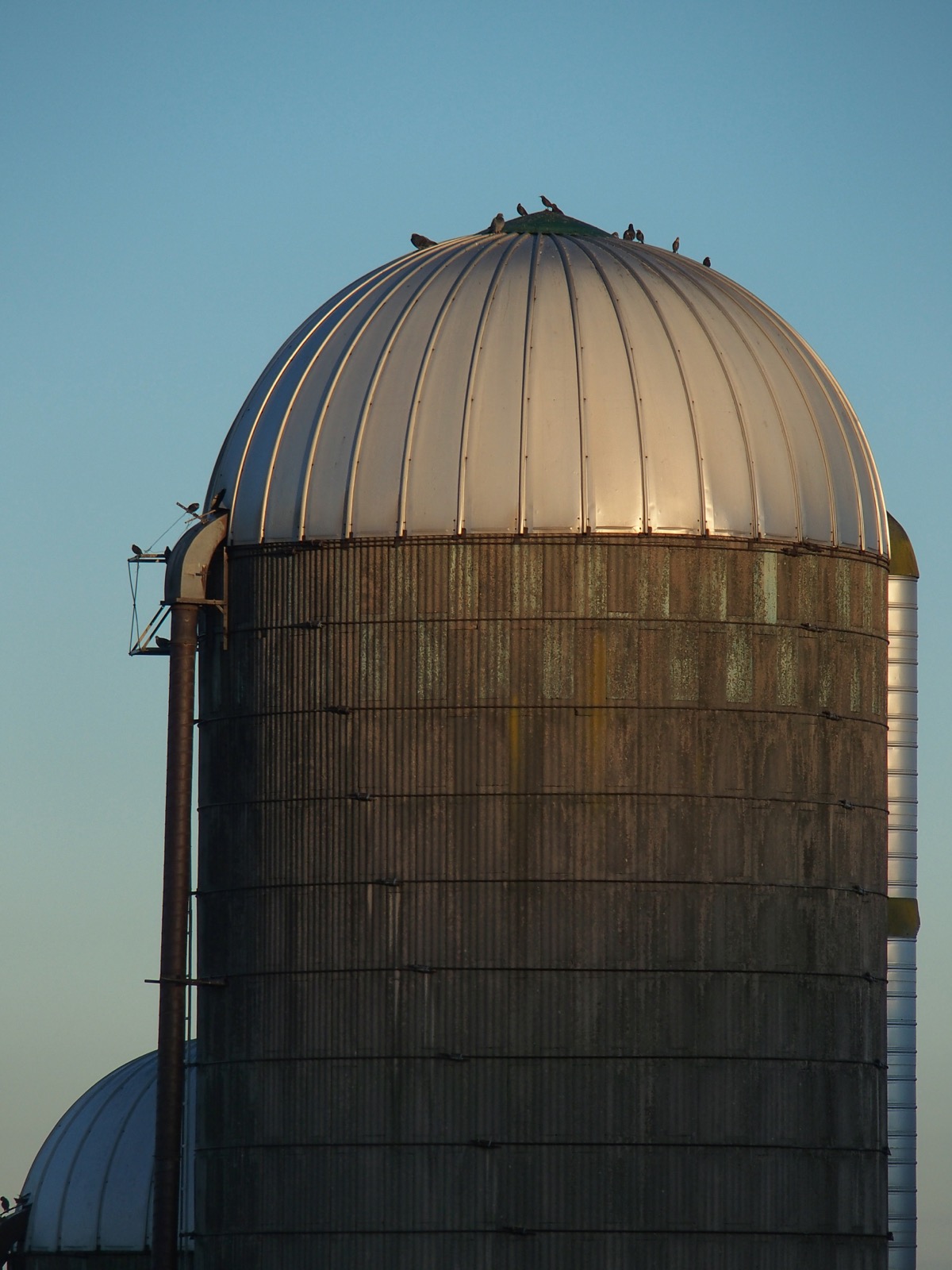
From this morning's walk. It was a nice 54°F out, with clear skies and no wind to speak of. Saw cows, geese and a rabbit. No deer this morning, because I got a bit of a late start. After sunrise, but before it rose above the hill to the east, which is why the dome of the silo is illuminated.
Apple and OM System announced new products this week. Nothing from Apple really excited me, while OM System's new PEN model does feel pretty exciting. The only thing from Apple that kind of interests me is the Watch, because of the additional health features. Nothing like getting old to make you more interested in health tech than shiny new finishes on repetitive phone designs.
Oh, the Duo? Yeah, I'd rather buy a laptop, thank you. I got my 14" M5 MBP with 2TB of storage and 32GB of RAM for what that phone costs. To be fair, that was before RAMaggedon.
And I'm still pissed at Apple for changing the name of Lake Ontario in Maps. Talk all you want about Apple's "culture." They worship money just like ever other corporation, and have no core principles other than that. So factor that into how much Apple's "privacy protection" features are worth.
OBTW, shot this on an Olympus Stylus 1s compact digital camera. 300mm effective focal length.
✍️ Reply by emailBuild Something That Lasts
14:54 Friday, 11 September 2026
Current Wx: Temp: 70.41°F Pressure: 1017hPa Humidity: 56% Wind: 8.84mphWords: 325

It was a beautiful morning to pour concrete. The Grand Prix Festival is going on down in Watkins Glen, and it's Mitzi's birthday. A lot going on.
We got the gable poured, and the footers for the deck and the porch. Next week they'll take down all the bracing and the platform and begin setting the parallel chord trusses for the open, "public" part of the main floor. Once that's complete, they'll frame up the main floor interior before setting the attic trusses over the remainder of the house.
Had an HVAC company out yesterday to look at the project. Discovered another challenge. While the floor trusses have an opening built into them to accommodate the main vent duct, there is no way to insert a five-foot length of rigid metal duct into it.
Because of course.
This is why I'm not convinced that any new construction home must begin with the HVAC design. You almost literally have to build your house around the HVAC system.
And it reiterates the value of an all-hydronic solution, where it's vasty more efficient, and easier, to run half-inch PEX anywhere you need heating or cooling than pushing air through ducts.
They're going to reach out to the truss company and speak to their engineers and see what we can do about cutting and later repairing three trusses to create an opening large enough to insert the duct. If that isn't feasible, we are at least fortunate that we have 9'4" ceilings, and we'll run a soffit across to the south side of the house, away from the stairwell, and then down along the south wall.
They believe we'll only need the air handler and ductwork for cooling. They're convinced the radiant slab will heat the entire house. I have no idea, but we're going to find out, that's for sure.
But it was a productive visit and I think I've found our HVAC contractor.
✍️ Reply by emailTraffic
13:06 Thursday, 10 September 2026
Current Wx: Temp: 76.42°F Pressure: 1013hPa Humidity: 68% Wind: 12.62mphWords: 232

It's funny how these things work.
I had had problems getting my DJI mini 3 paired with its controller after I updated to iOS 27 back in July. I switched to using the mini 2 and had the same problem. After a couple of updates, I tried again and the mini 2 worked and I've been using that ever since.
Well, I thought it was time to see if I could get the mini 3 paired with its controller again, so I could use it too. (Plus, one of the mini 2's batteries feels like it's starting to swell.)
So I'm out on the back patio, screwing around trying to get this drone paired and finally have success. (Don't ask me how. I don't know.) I put the drone up and start taking some pics of the house and I hear the honking coming from somewhere beyond the hill (behind the drone).
I spun the drone around to see if I could get a shot, but the camera was angled down for the house, and I didn't see the geese in the controller. As they flew over, I spun the drone around and angled the camera up and managed to capture this shot.
It lasted all of 20 to 30 seconds, but it was wild. Of course that's when they chose to fly right over the new house.
Winter is coming.
✍️ Reply by emailFirst Truss Landed
16:39 Wednesday, 9 September 2026
Current Wx: Temp: 74.43°F Pressure: 1014hPa Humidity: 84% Wind: 11.14mphWords: 182
I guess Apple had an event today. I knew one was coming, but I hadn't made any sort of mental note about it. That space is reserved for the premier episode of the next season of Slow Horses, which is unfortunately still a week away.
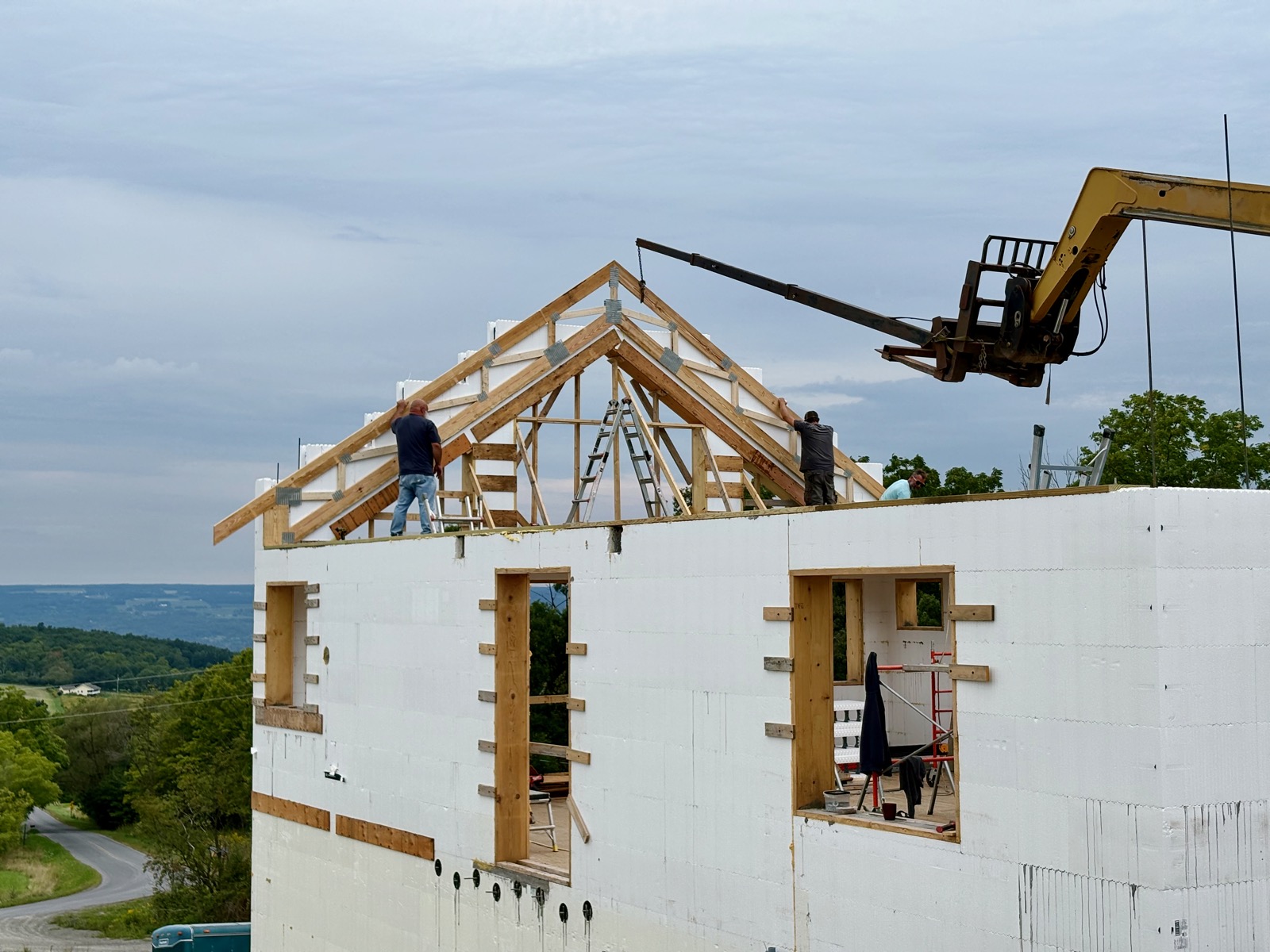
Nope, while the lickspittle sycophants at Apple were pushing their latest shiny gadgets that host spyware for retailers, governments and bad actors, I was watching the roof trusses being delivered, and the first truss being landed on the west gable. It was kind of a stressful event, because the weather was predicted to be rainy with gusty winds starting about 1:00PM. It started to sprinkle while they were wrestling the truss up there, but the wind remained pretty mild. They had the truss up and secured before 1100.
As it turned out, we had very little rain and no wind to speak of this afternoon.
Tomorrow they'll finish cutting and stacking the ICF, and doing the bracing and reinforcement necessary before the pour on Friday. They'll also pour the footers for the deck and the porch.
✍️ Reply by emailWinter Is Coming
07:33 Monday, 7 September 2026
Current Wx: Temp: 50.22°F Pressure: 1023hPa Humidity: 96% Wind: 1.9mphWords: 116
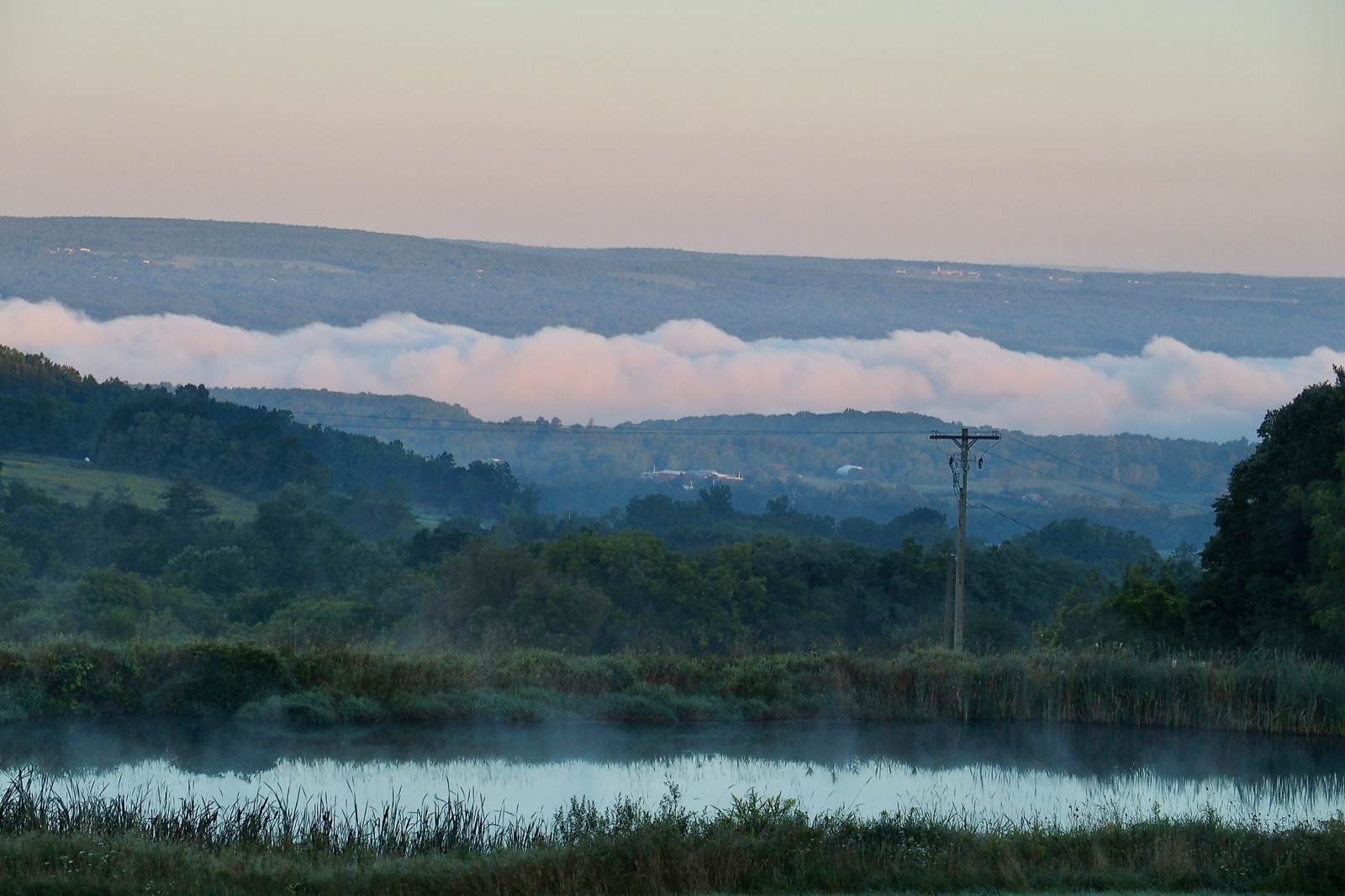
50°F this morning! Almost "crisp." Very refreshing.
Lots of geese on the wing. Put some pix up on Flickr.
Trusses are coming tomorrow, they should get the first one set on Wednesday.
MacOS 27, Golden Gate, is kind of borked on my 14" M5 MBP. I can't "share" anything from Messages using the share extension anywhere the share extension is available. This is mainly a problem with Photos and Safari. I've provided Feedback to Apple several times, but I suspect it's a problem with my install because nothing has changed over seven or so betas. My feedback has become increasingly intemperate, because it's exceedingly frustrating.
We'll see how it goes when the release version hits.
✍️ Reply by emailMinecraft House
09:32 Saturday, 5 September 2026
Current Wx: Temp: 63.81°F Pressure: 1014hPa Humidity: 90% Wind: 7.29mphWords: 274

On Monday the trusses should be delivered. There's at least one more course, possibly two, of blocks to stack. Once that's done, the end truss will be landed and secured to the gable. That will also serve as a template for locating the lookouts for the roof beams for the covered deck. Once those are marked, the affected blocks will be removed, cut and re-stacked. Hopefully we'll get it poured sometime next week.
Then we'll land the remaining roof trusses for the vaulted ceiling. Brad wants to do the interior framing for the main floor beneath the attic trusses before landing them. So that's probably (hopefully) next week. There's less framing on the main floor than there was on the basement, so it should go rather quickly. Then we'll get the attic trusses up, and the roof decking on.
We also have to pour the footers for the deck and the porch, stack chimney black for the timber columns, backfill everything and pour and stamp the patio before the timber-frame deck and porch arrive, mid-October.
Windows and doors should be arriving around then, and hopefully we'll get the place dried in.
Still have to get NYSEG, the electric utility, out to hang the second transformer; then pull the cable from the meter pedestal to the house and get the breaker panel installed.
Then we can start rough wiring and plumbing.
We hope to get the metal roofing on once the deck and porch are assembled, and the metal board-and-batten siding as well. There will be stone veneer beneath the deck, but that can wait until spring.
We're getting there.
✍️ Reply by emailPicture Window
09:16 Friday, 4 September 2026
Current Wx: Temp: 67.37°F Pressure: 1015hPa Humidity: 83% Wind: 5.5mphWords: 49
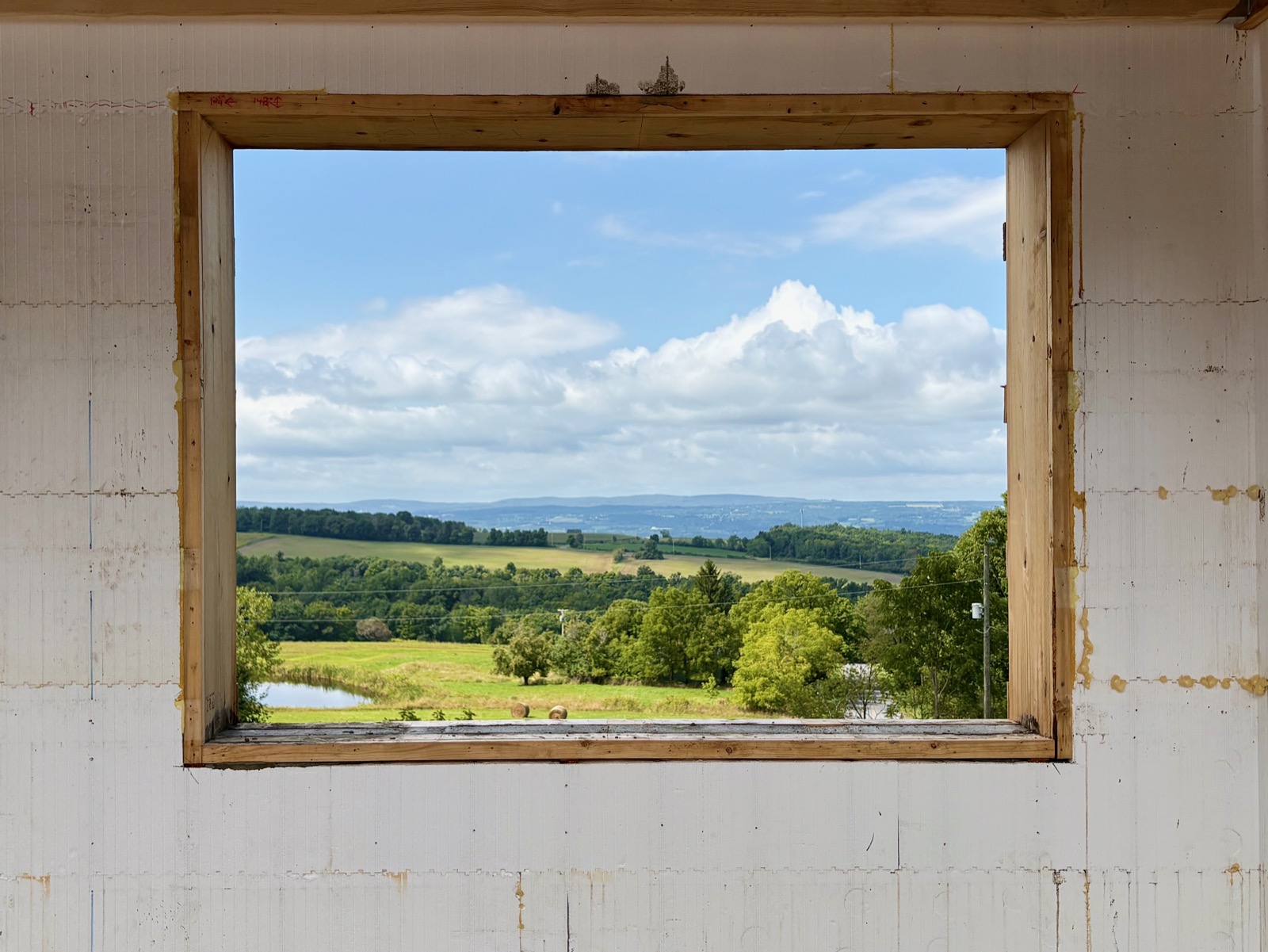
When the house is complete, the view won't be quite this complete. There will be a deck intruding from the bottom, the wire safety rail that probably shouldn't intrude above the horizon, and the roof over the deck may intrude into the upper sky.
But it's still pretty cool.
✍️ Reply by emailPicture This
11:59 Thursday, 3 September 2026
Current Wx: Temp: 77.27°F Pressure: 1014hPa Humidity: 79% Wind: 7.09mphWords: 371
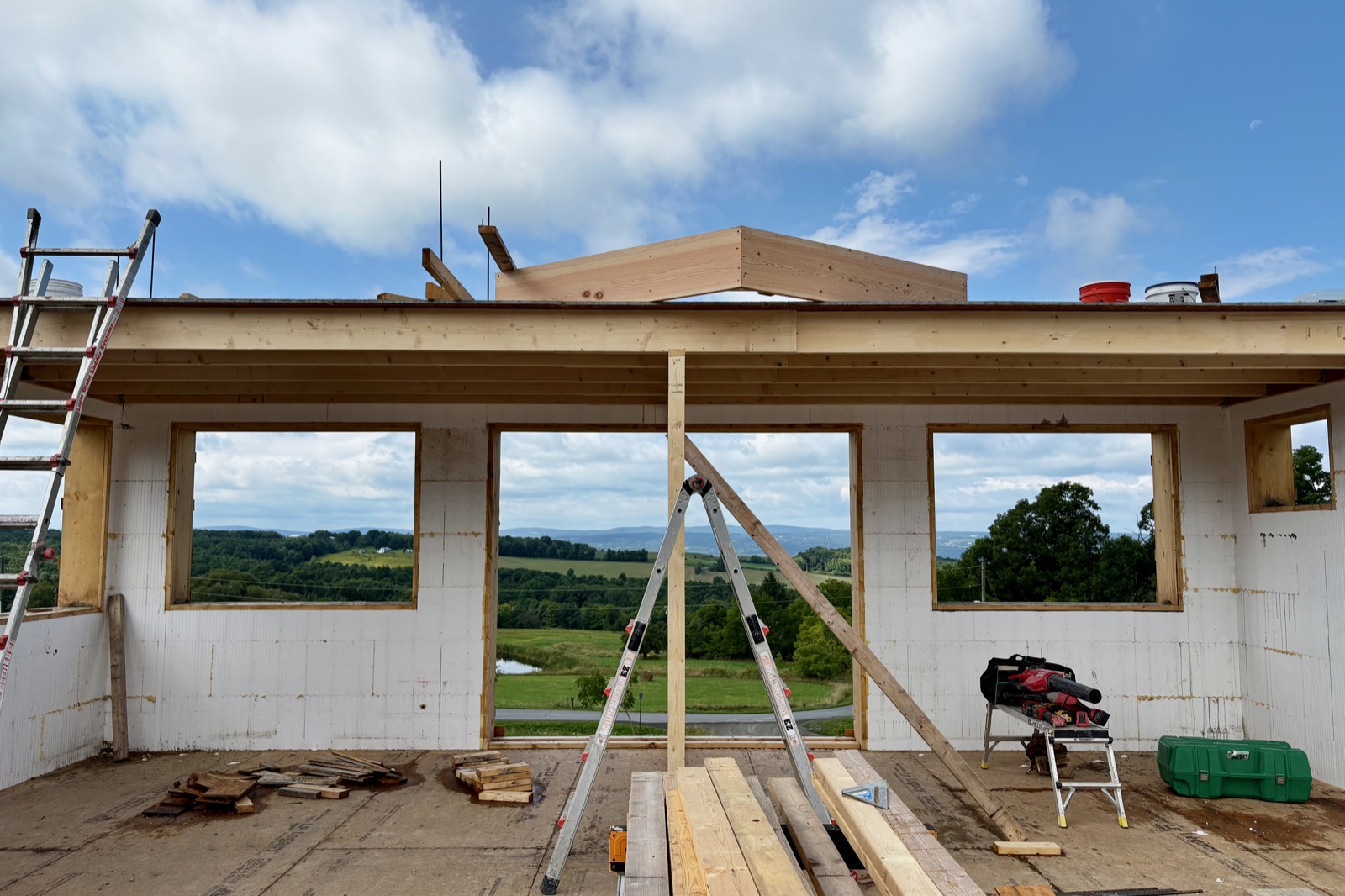
This was pretty exciting.
Since the main floor was stacked, and even after it was poured, the windows and doors had bracing inside them. It wasn't possible to get a real sense of what the view might look like when the house is completed.
Brad took down all the bracing yesterday, but I hadn't gone up there until this morning. When I came up the stairs, the view kind of took my breath away. I really had no appreciation for how large those windows would be.
I ended up chatting with Brad for a long time, then went back down to the house we're living in, never taking a photograph! So I went back up a few minutes ago, just to get this shot. It worked out better, because it was pretty overcast earlier this morning while I was there.
The deck in the photograph is there to facilitate stacking and bracing the ICF block for the gable end, it won't be there when the house is completed. And the view will include a 12' deck with a 15' overhead roof, so it won't be quite so expansive. We won't get a clear idea of what that looks like until mid-to-late October.
They're getting ready to install the gable end window bucks. The center assembly is so large they're going to put it together up on the deck. He cut all the pieces at a friend's workshop, he does custom cabinetry so Brad wanted to get all the miters done precisely, and they planed some of the boards as well. Hopefully that'll all get put up by the end of today, which will give us another glimpse of what the house will eventually look like.
I'm getting ready to head down to see my doc about my thyroid. I'm going to ask her for her thoughts on the flu vaccine. I'm thinking of getting the mRNA version, but maybe it's wiser to get the "over-65" double-shot of the conventional vaccine.
Last night was quite the light show, with thunderstorms passing over us. Nearly continuous lightning around 9:00PM. That's a show that'll be much better to appreciate in the new house.
And the beat?
It goes on.
✍️ Reply by emailCowardice
08:16 Wednesday, 2 September 2026
Current Wx: Temp: 68.2°F Pressure: 1016hPa Humidity: 98% Wind: 6.2mph
Words: 24
Although I didn't really expect anything different, I am nonetheless pissed at Apple for caving to Trump on Lake Ontario.
Fuck their September event.
✍️ Reply by emailAll the Blogs a Stage
05:16 Wednesday, 2 September 2026
Current Wx: Temp: 67.32°F Pressure: 1017hPa Humidity: 98% Wind: 5.5mph
Words: 609
Tom Loughlin has some thoughts on blogging as performance.
As someone who has often asserted that I don't blog for an audience, I will offer a different point of view.
When I am most motivated to write, as opposed to merely post or share some banal account of the day to day is when there is some interior experience that is uncomfortable, and writing it down in a blog post externalizes it. Gets it out from "in here" to "out there," where I can examine it and discharge some amount of the emotional charge. Is it true? Why do I believe this?
I don't do that to entertain anyone. That is quite particularly, specifically, a selfish act. Perhaps one of "self-care." Is it a "performance" to persuade or provoke? I don't think so, mostly because Groundhog Day and, later, Facebook disillusioned me of the notion that I can ever change anyone's mind about anything.
(To be fair, I can't recall a blog post that changed my mind about anything either.)
So I don't even try.
We live in a world where we seem to believe that everyone has a voice, and they're all equally worthy of being heard. The result is ironic, because when everyone is talking, then nobody is being heard.
At best, you may have a small circle of individuals who are aware of your blog, and you might expect that some of them will read what you've written from time to time.
If you desire a larger audience, then you must compete for attention. Desire is the source of all suffering. If you're passionate about performance, then suffering goes with the territory. I'm not keen on it. I've done enough, and I'm sure I've got my share to look forward to as well. I don't need to seek more of it.
So is the marmot a performance for a small circle of acquaintances and friends? Nope.
It's just my little radiating antenna that conveys my rants into the void where they go to disappear at the speed of light.
Scratches an itch.
If it was a performance, believe me, I know I'm doing a damn poor job of it.
I write these things on the fly, they're mostly stream of consciousness. At most, I'll change a word here or there, delete a sentence or a paragraph. But I don't sweat over every word.
And this bothers me sometimes, because I happen to suffer from the delusion that I can write well when I want to. But that requires time and attention, and I don't seem to wish to commit either of them to the effort.
Because it's not a performance. And if you're here looking for a show, then you've come to the wrong joint, buddy. You want that substack up the street. That newsletter that all the cool kids are doing.
Doc Searls drove me nuts with that pernicious construction, "Markets are conversations," conflating the commercial with the social. Conversations are human interactions conducted for their own reward, the exchange of mutual attention. They are not transactions. Talking about those is a negotiation, not a conversation.
But that didn't stop hundreds or thousands, or, hell, I don't know, maybe millions of people from buying that bullshit.
And people worry about "AI slop."
Claude can't hold a candle to the bullshit people can come up with.
This isn't an act. This is me. And yes, "I contain multitudes," and a foolish consistency is the hobgoblin of little minds.
I guess when you've spent a long time in the theater, then that's how the world looks too.
I'm here to tell you, it ain't necessarily so.
✍️ Reply by emailTerms and Exclusions May Apply
16:05 Tuesday, 1 September 2026
Current Wx: Temp: 80.51°F Pressure: 1014hPa Humidity: 81% Wind: 9.33mph
Words: 223
I just found out that I'm ineligible for the Medicare Bridge program for GLP-1 medications. Because I'm a military retiree covered under TRICARE For Life for my prescription drug coverage, and so I don't have Medicare Part D coverage.
TRICARE For Life doesn't cover GLP-1 medications for anything but Type-2 diabetes.
It seems interesting that the people who came up with the Bridge program didn't anticipate that military retirees would be ineligible.
I'm looking at paying cash directly to Eli Lilly, but I've made one pass through their enrollment website and I've already encountered a roadblock related to being a military retiree.
I do have insurance under a "government" program; but I don't have a prescription drug coverage card with these three numbers they want me to enter on the website to enroll in their program. Somebody wrote a book about this, Catch-22.
I'm taking a break to kind of keep my composure.
I'll try again later, and hopefully get a person to walk me through this.
In the meantime, I've visited the Military Officers Association of America and sent emails to my representative (a hard-core MAGA Trumper) and my senators. I edited their boilerplate because it was written before the Bridge program went into effect.
It's just fecklessly shouting at clouds, but whatever.
The beat goes on...
✍️ Reply by emailKarl Martino
10:24 Tuesday, 1 September 2026
Current Wx: Temp: 71.46°F Pressure: 1014hPa Humidity: 97% Wind: 9.01mph
Words: 125
Karl Martino is one of the original cohort of bloggers I interacted and corresponded with a quarter of a century ago. He maintains his blog, but he seldom posts.
It's a good video. The narrator sounds like Joe of Joe's Computer Museum.
Master Shifu in Kung Fu Panda put it well:
You are too concerned about what was and what will be. There is a saying: yesterday is history, tomorrow is a mystery, but today is a gift. That is why it is called the present.
All we have are moments to live, and each other.
The only power that exists is the power to choose.
The finger is not the moon.
Always recall that everyone is giving you the finger.
✍️ Reply by emailWorkbench
10:01 Tuesday, 1 September 2026
Current Wx: Temp: 70.41°F Pressure: 1015hPa Humidity: 97% Wind: 9.01mphWords: 94
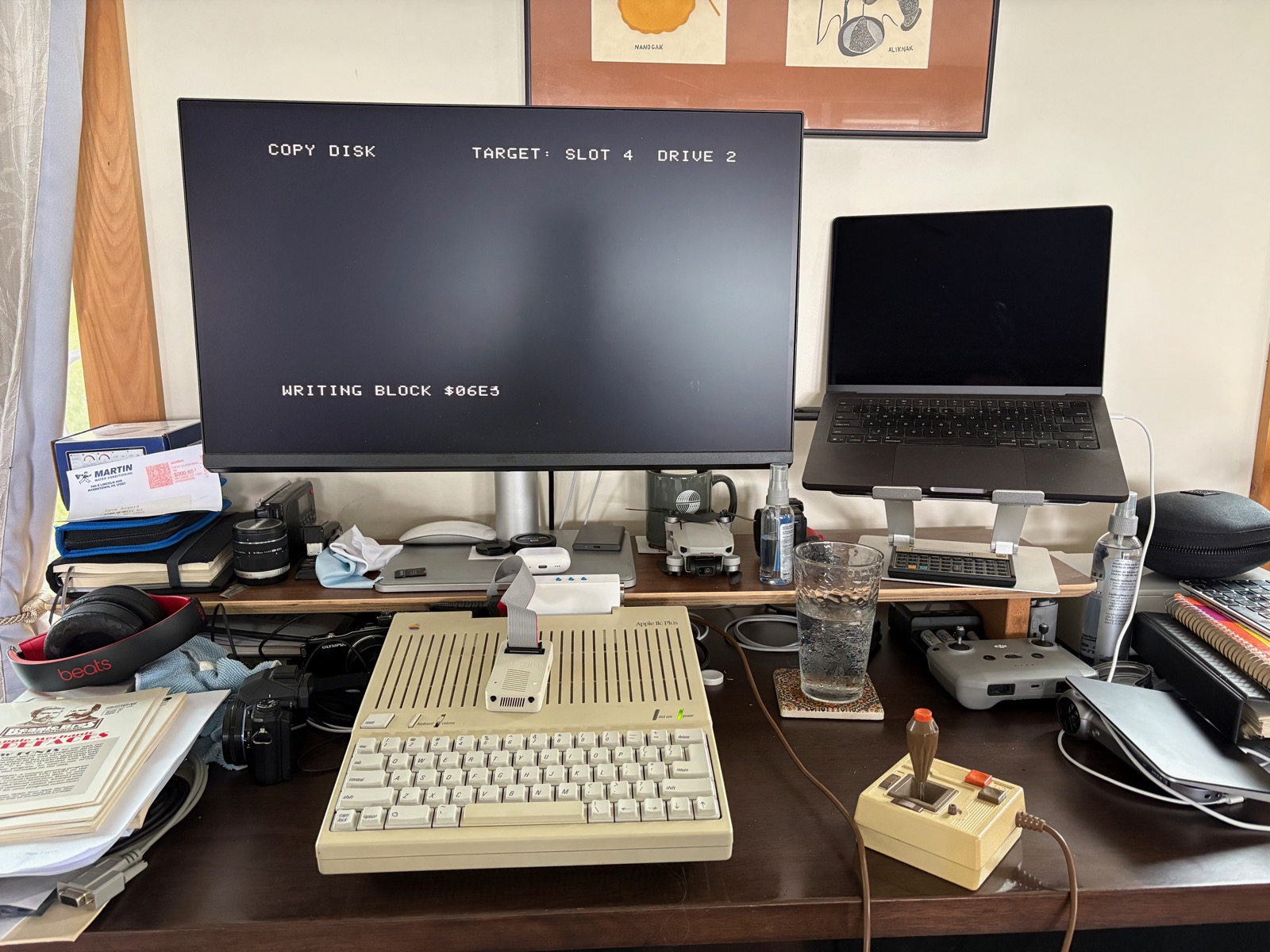
This was during yesterday's effort to copy Total Replay v6 over to the MegaFlash IIc Plus. If I didn't have a IIc, I'd be confined to only using an emulator.
When the new house is done, The Dave Cave will have room to set up my two IIe computers, the IIgs, and all three IIcs. I have no desire to have an original Apple II or the Apple ][+, which is what I started out on back in 1982.
I do kind of want to own an Apple III, but they're pretty rare and pricey.
✍️ Reply by emailFujiNet
08:16 Tuesday, 1 September 2026
Current Wx: Temp: 68.7°F Pressure: 1015hPa Humidity: 97% Wind: 5.99mph
Words: 1203
Bought a new gadget for the IIc(s), a FujiNet adapter. I have no insight into the origin of the appellation, but I now have some experience with the device itself.
One of the challenges of retro-computing is media management. Back in the day, there was a robust retail marketplace that distributed applications on physical media, usually 5.25" floppy disks, sometimes cassette tapes. Today, the market for physical media is far more constrained, chiefly on eBay, forum classifieds and sometimes shopgoodwill.com.
An enormous amount of old software has been preserved in the form of disk images available at archive.org and at other sites. This is a huge resource for emulators, but there's a barrier between a digital disk image, and the disk drive attached to most old computers.
There are a variety of solutions, one of which is to emulate the drive itself in modern hardware. One of the best-known is the Floppy Emu, from Big Mess o' Wires, heretofore my preferred method of using disk images with my Apple II computers. I wrote "heretofore," because I like that word, but also because I've learned that the FujiNet has some significant advantages over the Floppy Emu.
Let's double-clutch here for a second and discuss another challenge of retro-computing, and that is space. While originally described as micro-computers, old desktop boxes are now what we would consider enormous. I am space-challenged here in our present house, my workspace is confined to a rather small Home Depot Husky mobile workbench, which is home to my 14" MBP and 27" Benq LCD, along with the usual amount of clutter that seems to accrete wherever I set up shop. If I want to play with an old computer, I have to be content with an emulator, or something that I can fit on this desktop, after clearing away a certain amount of clutter.
Enter the Apple IIc, or, more specifically in my case, the Apple IIc Plus. The IIc has among its many virtues, the premiere virtue of being small. If I shove my keyboard and trackpad off to the side somewhere, I can fit the IIc in the remaining space on the desktop. The disk drive is built-in, the IIc Plus doesn't require a brick, so I have an ordinary power cord plugged into the power strip with the free end tucked under the monitor shelf, and I can just pick up the IIc Plus from the floor, where Mitzi tolerates its presence, plug it into power and connect the monitor to an HDMI adapter connected to the IIc's video port, and I'm instantly transported back into the Golden Age of personal computing.
The only thing that kind of diminishes this experience is a certain amount of fiddling with the Floppy Emu, which is a very small device with a rather long ribbon cable attached. But the utility of the Floppy Emu outweighs the fiddliness of using it.
But I'm always looking for ways to improve this experience, and one of those is the MegaFlash IIc Plus, which I installed a week or so ago. That device installs up to eight 32MB virtual hard drives internally. It comes with two virtual drives already formatted with a selection of software installed, one of which being the game collection Total Replay.
This leaves the challenge of populating the remaining six virtual drives. This shouldn't be a problem, because the Floppy Emu has the capability of emulating a 32MB hard drive. (I suppose I should stop saying hard drive. I suppose back in the day it would have been a hard drive, but it's perhaps more accurate to say a SmartPort block storage device.)
Here, alas, is where I've encountered another challenge. Because of the way the Floppy Emu is programmed, in order to mount a 32MB disk image, all the blocks must be contiguous on the microSD card inside the Floppy Emu. In the past I've been able to achieve that by moving all the files off the microSD card onto my Mac's desktop, deleting everything on the microSD card, and then copying everything back onto it.
The MegaFlash IIc Plus comes with Total Replay v5.something, and I wanted to replace it with the latest version, which I downloaded from the repo linked above. Try as I might, I couldn't get the image to be stored contiguously on the microSD card. I haven't looked for a utility that might consolidate it, but that might have solved the problem.
Instead, I tried the FujiNet, which I bought for a variety of reasons beyond simply getting Total Replay v6 onto my IIc Plus. One of the features of FujiNet ("the FujiNet"?) is that it has a microSD slot and a drive emulator. Much to my delight, it mounted the Total Replay v6 disk image without complaint. I used Copy II+ to copy v6 over the v5 volume on the MegaFlash. It took a couple of hours, but it works just fine.
I found that the FujiNet is a much better user experience in dealing with disk images on the microSD card. The Floppy Emu is controlled by the device itself, and you have a little screen to browse the contents of the card and you press various buttons to mount or eject disks.
With the FujiNet, you can browse the contents of the microSD card right from the Apple II's screen and control it with the keyboard. It's a much better user experience.
So at this point, I would say that if you're looking to get into retro-computing on an Apple II computer, the IIc with a FujiNet would be a good place to start. It doesn't have to be the IIc Plus, but it does have to have a SmartPort ROM. The original IIc didn't have the SmartPort protocol in its ROM, later versions of the A2S4000 (original model) added support for the 3.5" UniDisk along with the SmartPort protocol. It's a fairly simple task to swap out the ROM, and there are many newer versions to choose from, including some fancy ones that allow you to choose various ROM images.
If you start with a slotted Apple II with just a 5.25" disk controller card installed, the Floppy Emu is a better choice, because it'll talk to the disk controller without relying on the SmartPort protocol. You can get SmartPort cards, or use a 5.25" controller with a modified printer interface card. I gather you replace its ROM with one that hosts the SmartPort protocol code, but that's just a guess. But that's probably a bit challenging if you're just getting into this.
As far as these 32MB volumes go, you're limited to ProDOS only files and applications. For DOS 3.3, you're pretty much confined to 5.25" disk images. There were some modified DOS 3.3 compatible systems that could use up to 400K of data on one side of a 3.5" floppy, or the original Macintosh external 3.5" floppy drives. As of this writing, I don't know if or how any of those are emulated.
Anyway, pretty happy with two fairly new, modern devices that interface with the Apple IIc and help make using them more fun.
✍️ Reply by email